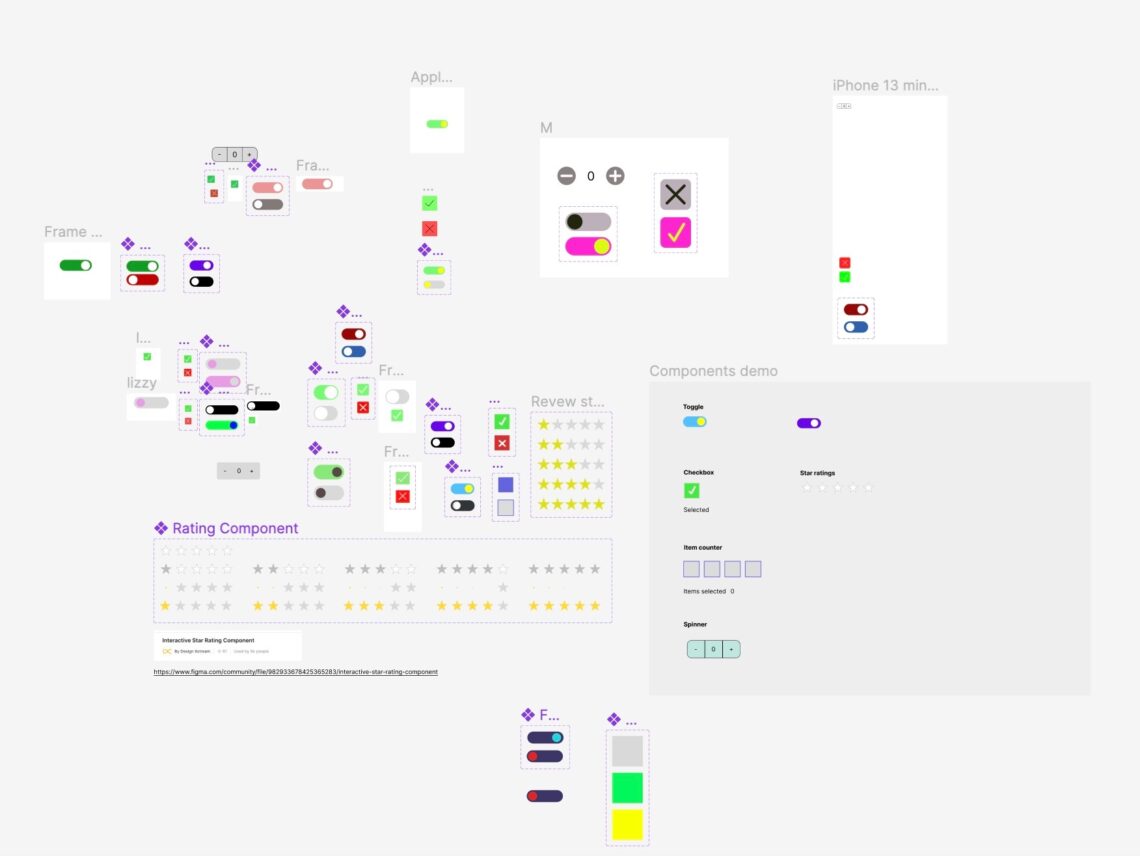
On Monday, October 30th, Dave Watson conducted a workshop for us, where we had the opportunity to acquire new skills in Figma. During this workshop, we learned how to create a toggle button that changes color and shifts its position when clicked, a checkbox that smartly animates upon clicking, and a spinner that serves as a numerical counter for tracking additions and subtractions.
Initially, I had concerns about the workshop since I prefer to learn at my own pace and avoid feeling rushed. However, Dave provided us with ample opportunities to explore and experiment on our own, making the learning experience more engaging compared to simply observing demonstrations. I believe that the most effective way to learn is through hands-on practice rather than passive listening.
We commenced by working on the toggle button, which proved a bit confusing for me initially because some of the options on Dave’s screen didn’t appear on mine. However, I eventually managed to find my way through it. I found this part particularly enjoyable as it holds the potential to be highly useful when designing my own website and ensuring it functions effectively as a fully operational site. Below, you can see my first attempt and a brief video demonstrating the toggle button in action.

Following this, Dave provided us with the opportunity to figure out how to create a smart animation for the checkbox. He briefly demonstrated the process and then encouraged us to work on it independently. My friends and I collaborated to understand and execute this task. It took several attempts as every time I assumed it would work, I would enter the preview section only to find that clicking the box had no effect. However, I soon realized that I simply needed to adjust some settings to make it function correctly.
During this task, we learned how to apply smart animations to elements, ensuring that they transition smoothly without abrupt jolts when interacting. This technique is something I plan to incorporate into my website design. Once again, you can find an example of this in action along with an image demonstrating the editing process below.

Finally, we received a concise lecture on creating the spinner, followed by the task of completing it independently. This proved to be the most challenging assignment among all the tasks we had undertaken, as it involved numerous intricate aspects and introduced us to new concepts. One of these new concepts was the use of variables in Figma, which, prior to this workshop, I was unaware of.
The initial challenge was to understand and manipulate these variables to ensure the spinner functioned seamlessly, without going below zero, for instance. Once we had successfully accomplished this, my friend Max and I decided to take it a step further by attempting to set an upper limit for the numbers it could reach. This required delving back into the editing section and figuring out how to code and set the variable accordingly.
Our ability to teach ourselves this additional functionality felt like a significant achievement, as it demonstrated a deeper level of understanding and mastery of the material, rather than just surface-level learning.

In summary, I found this workshop to be incredibly valuable and engaging. I have a natural enthusiasm for learning new concepts, and this experience was particularly satisfying because I can see how I can apply this newfound knowledge in the development of my own personal website.